Account Creation
How to register in ACTS Online Payment System
1. Go to https://acts.ictsi.com/Account/Register/.
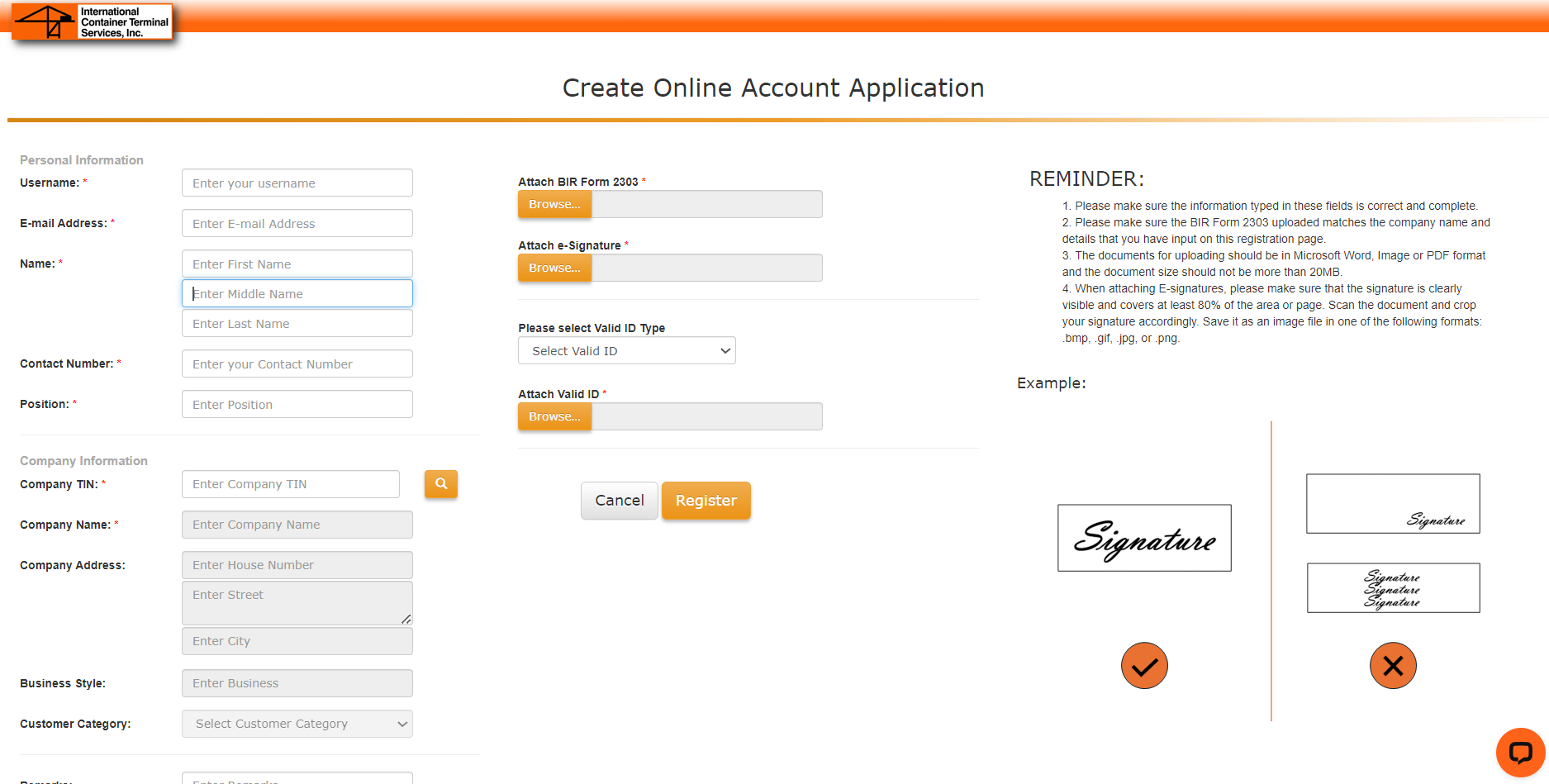
2. Fill in all the required details (with *) and attach required documents, then click on REGISTER.
· Username and Email address – should be a username and email address that has not already been used to register in ACTS
· Contact number – input your mobile number in the correct format (e.g., 09*********) and ensure it has exactly 11 digits
· Company TIN – should be 12 or 14 digits only
NOTES:
· Please ensure that the details provided are correct and complete.
· The BIR 2303 uploaded should match the company name and details that you have inputted in the registration page.
· The documents for uploading should be in Microsoft Word, Image, or PDF format with a maximum file size of 20MB.
· When attaching e-signatures, please make sure that the signature is visible and covers at least 80% of the area or page. Scan the document and crop your signature accordingly. Save it as an image file in one of the following formats: .bmp, .gif, .jpg, or .png.
3. After following the above steps correctly, you need to wait for an email confirming a successful registration.
NOTE: The ACTS account application will be subject to review and approval in 2-3 business days.
Reference:
1. ACTS Account Registration - https://acts.ictsi.com/Account/Register/
2. ACTS Account URL - https://acts.ictsi.com/