TABS
- Export container “Not Ready” on TABS
- Gatepass Errors in Truck Manifesting
- Holds in booking an import reefer container in TABS
- How to edit the details of your submitted truck manifest
- How to resolve errors during Truck Manifest creation in TABS
- How to submit requirements for “Expanded Withholding Tax (EWT)” option in TABS
- How to submit requirements for “ZERO VAT” option in TABS
- How to top up your TABS points
- How to use TBA slot in Truck Manifesting
- Truck Manifesting User Guides
Import Container "Not Ready" in TABS
1. If the status of your import container is showing “Not Ready” in TABS.

NOTES:
· Import Container will only be ready for booking if container status is at YARD and confirmed with BOC Release (OLRS).
· TABS booking is not required for these types of containers, hence the NOT READY status:
i. Import empty discharge
ii. Auctioned or condemned containers
iii. Post Office containers
· If the truck is confirmed to still be at the yard and they want to rebook the container, you are required to cancel the first truck transaction. Please note that any cancellation of a truck transaction may incur a corresponding fee.
How to check if the container is already at the yard and confirmed with BOC release (OLRS):
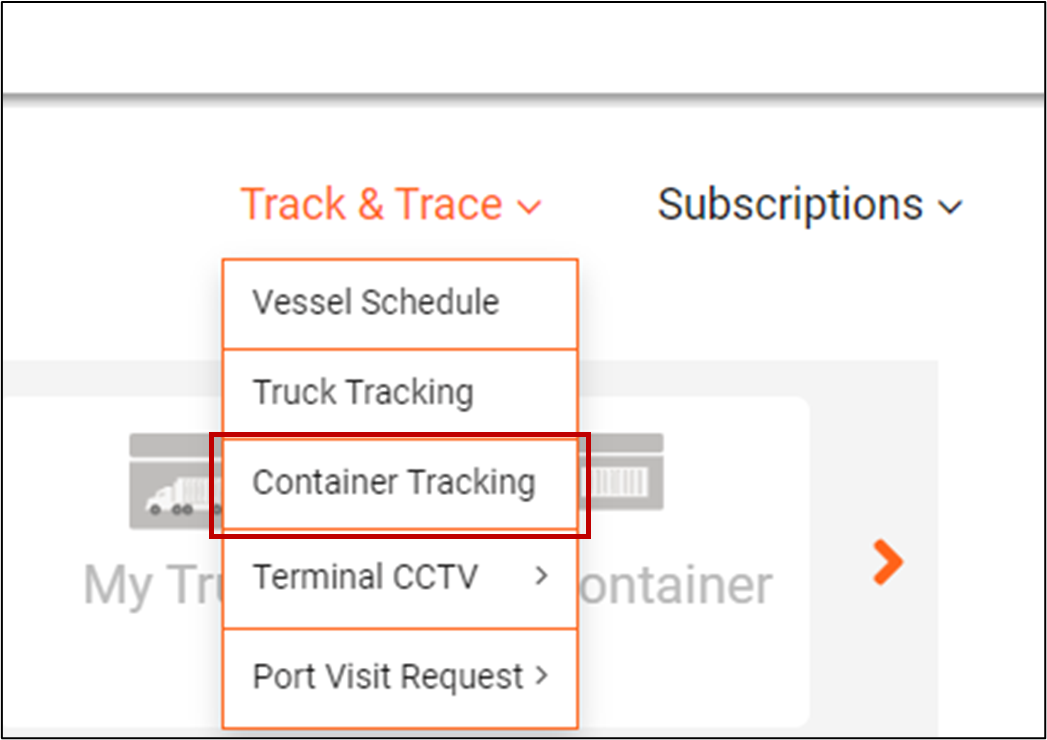
· Go to ICTSI App, hover TRACK & TRACE then click on CONTAINER TRACKING.
· Input the container number or the bill of lading number and select MICT – Manila Internal Container Terminal. Once done, click on TRACK CONTAINER then the container number.
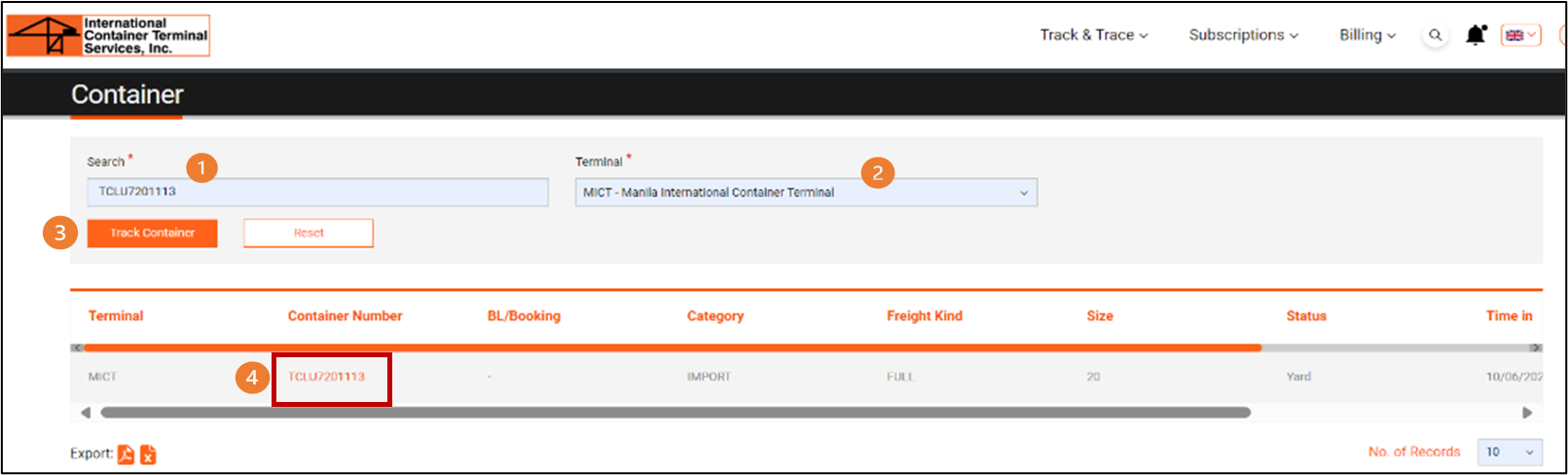
· If there’s an event time to MOVED TO YARD and OLRS RECEIVED, the import container is already at the yard and confirmed with BOC release.
NOTE: If you haven’t registered yet to the ICTSI App, please refer to the other reference below.
2. If the requirements are already fulfilled and still showing “Not Ready” status on TABS, please send an email including the container number to customercare@ictsi.com.
Below are the scenarios where you need to send an email to customercare@ictsi.com:
· If the initial truck cancels the transaction for import container
· If the creation of the import container is more than 30 days
OTHER REFERENCE:
To enjoy these features, you must create an account by registering or signing up for the APP. To register, simply follow the steps on the video links below:
Once registered, you have the access now to the complete suite of features we’ve made available in the APP. To help you learn how to use these monitoring features, you may check the video links below: